Salem Methodist Church
Password:
Login
Bookmark this page or
save it to your phone's homescreen
iPhone or iPad
Touch the Apple Share icon (yellow arrow).
Then touch the "Add to Home Screen" icon (red arrow).
The Churchteams icon / app will be placed on your home screen.
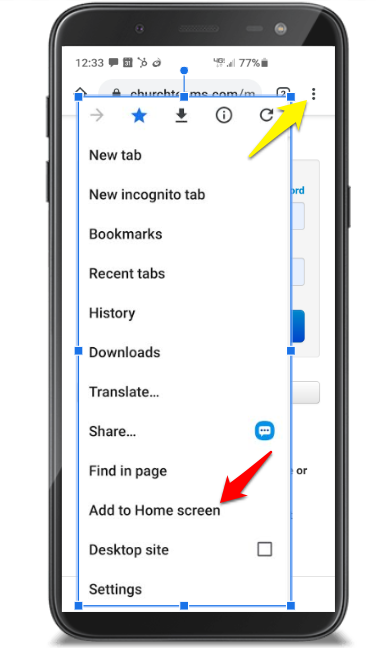
Android Phone or Tablet
Click the three dots in the upper right of the Chrome browser (yellow arrow)
Select "Add to Home Screen" (red arrow).
The Churchteams icon / app will be placed on your home screen.
For help or questions please contact
salemgmc.office@gmail.com
Save Time Logging In!
Follow the instructions in the upper right corner to add a bookmark or save the Churchteams login to your desktop or dock.